Showing posts with label secondary. Show all posts

Tuesday, June 16, 2015

Preparing for the end of the day - SEA IWB in-class session David&Mary Thomson C.I. spotlight

Home Time at David and Mary Thomson C.I.
Raj Singh, Low Incidence Teacher at David and Mary Thomson Collegiate Institute, has been participating in Learning Communities through the SEA Interactive Whiteboard Group Claim. Along with attending sessions throughout the school year to learn various ways to use the Promethean Board to engage his students and promote independence and learning, he partnered with the Itinerant Resource Teacher leading the Learning Community to Co-Plan and Co-Teach a lesson.

During the Co-Planning session, a home time schedule was created. Visuals were used to support his students’ independence in preparing for the end of the school day and in writing a journal about what activities they participated in.


(left) End of the day “Checklist of Daily Chores.”  (right) Students take turns checking off items.


(left) Students select the activity they did from templates created on the Promethean Board. When the picture symbol is selected, the corresponding sentence appears. (left) If the students did an activity that is not represented on the Promethean Board, the student will write it in using the pen tool.


Students then write their journals for the day using the sentences as prompts. Some students will copy the sentences, while others are able to create their own.

David and Mary Thompson C.I. also offers real life employability skills training. They have converted one of their classrooms into an area where their students can practice skills that will support their future employment.

Wednesday, November 19, 2014

OneNote marker students update

Many of our students who were in grade eight last year and who are now in grade nine this year have continued to use their tablets and OneNote software to support their personal organization and academic lives in high school.  Students have recognized and embraced the useful features of OneNote to help them create Notebooks to organize themselves for all the subjects they are taking. Students are also continuing to colour code subject tabs to help them organize themselves. Below is an example of one grade nine student who has developed enough independence with using the tablet and software in order to organize himself for success in grade nine:

Students report they are enjoying having the ability to access the internet to do research in order to deepen their understanding of concepts being taught in their classes. Students also report they appreciate having the option to type notes, use the sound recorder to record parts of lessons, or using HP LiftApp to import pictures into OneNote taken with their tablet. Below is an example of how a student has used OneNote to take notes in Science:


In another school, one student created his own self-regulation strategy to help the student refocus energy during times of the day. The student created a section of pages to draw on when the student is feeling angry or anxious.


Overall, many of our former grade eight students are enjoying having a tablet to support their learning and their organization in high school. And, thanks to the feedback and advice they continue to provide us with, we continue to use this information to further improve our project!

Friday, June 6, 2014

OneNote supporting student organization: Secondary spotlight at Weston Collegiate Institute

OneNote at Weston CI


The Junior ASD class (grade 9 and 10) at Weston Collegiate is one of the many classes participating in the OneNote Pilot Project in the TDSB. The students reflected on how OneNote helps keep them organized and how the various features of OneNote can be used to support their organization and learning; throughout all of their rotary classes. They have quickly discovered many new ways OneNote can be used to support organization and overall school success. 

The students generated a list of ways OneNote helps to keep themselves organized.

Rotary classes? The students discuss some of the OneNote features that supports their organization throughout the day.

Friday, May 23, 2014

Personal organization and independence: OneNote pilot project in Secondary summary

What are tools that secondary students prefer?

The Assistive Technology team’s OneNote Pilot Project focuses upon personal organization and independence in order to support the “Big T” transition from grade 8 to high school. This initiative aims to provide explicit training of OneNote software, with a distinct focus on the ways in which the tools/features of OneNote can be used in classroom settings to support student learning - from the intermediate grades, into high school and beyond.
During our final in-class training session, students are encouraged to create a personal list of the “Top 5 OneNote Tools” that will enable them to be their most independent and successful in their integrated classes.


Here is a list of the tools/features our students love the most:


Student can use their finger or a stylus to write, draw or highlight their notes directly in OneNote.


With OneNote, our students love that they never have to save their work and fear losing their content. Everything is automatically saved – alleviating student stress and anxiety.


Do your thoughts ever flow faster than you can write, or even type? For the students we support, the Record Audio tool enables students to record their thinking, instructions from their teacher and even reminders of what to study for an upcoming quiz!


Screen Clipping allows students to quickly and easily capture images/content from the internet and place it directly into OneNote. This tool supports researching and accessing content. The best part is that it also includes bibliographic information to source the website the specific information clipped from!


Our #1 voted tool that serves as the biggest “game-changer” for our students is the HP Page Lift App. This tool allows students to make handouts, textbook pages, and even the chalkboard digital by taking a picture of hardcopy resources and sending them directly to OneNote. These images can be placed in the appropriate section of a student’s notebook and can be annotated on. Students love never having to worry about losing a worksheet again!  

By mastering the use of these OneNote tools and features, the students who have participated in this pilot have reported increased academic success, self-confidence and happiness. With these skills – our students will be transitioning to high school with the necessary skills and tools to be their most successful in high school.


Thursday, April 10, 2014

Assistive technology team heads to Niagara Falls for assistive technology conference

The Assistive Technology Team Heads to the
Association for Special Education Technology (ASET) Conference…

This week our Itinerant Resource Teachers will be heading to Niagara Falls to present at the ASET conference. Our team will be facilitating three exciting presentations on a variety of special education topics and assistive technology tools.


 Switch Learning On!

Itinerant Resource Teachers, Andrea Statton and Lisa Mast will be presenting on the ways in which Switch technologies can be used to increase accessibility, engagement and independence for students with physical challenges.

For some students standard technology controls (e.g., keyboard, mouse, and interactive whiteboard pens) are challenging to use. The use of switches, joysticks, trackballs and other wireless peripherals provide the opportunity for students with physical challenges to participate in their learning which can lead to increased engagement and independence.


In this session, the presenters will be using an IWB to model how to use alternative access devices to support student learning. Suggestions will be given on how to use these devices during individual, small and/or large group instruction. Participants will have the opportunity to participate in lessons and activities and get hands-on experience with various alternative access devices!


 IWBs for Supporting Executive Function Skills

Itinerant Resource Teachers, Renée Keberer, Etienne Merciera and Valia Reinsalu will be presenting on the ways in which the IWB can be used to support the development of executive functioning skills in order to promote student achievement. When students struggle with Executive Functioning, such as organization and task initiation, they can get easily overwhelmed. Using an IWB with specific strategies can have a positive effect on student success.
This session will provide participants with strategies and suggestions for using an IWB to support students with learning disabilities and/or ADHD to develop their executive functioning skills. Through demonstration and hands on experience, participants will explore how to use the IWB to support memory, time management, organization, task initiation and metacognitive skills among their students. Through a case study, participants will be shown how certain strategies can help support students with specific executive functioning deficits, and how features of an IWB can enhance this process.


     Surviving and Thriving: Revealing the "Hidden Curriculum" in Secondary School

TDSB Itinerant Resource Teacher, Christina Mathura and TDSB ASD Consultant, Carol Gaghadar will be partnering with Surrey Place ASD Consultant, Heidi Mitchell to present on the ways in which the IWB can be used to support the “hidden curriculum” for secondary school students with an Autism Spectrum Disorder.

This session will explore - What’s okay to say? What’s okay to do? And…When?! These questions will be addressed within the context of the ever-challenging, social world of high school.
Participants will be provided with practical strategies for using IWB tools and features in order to successfully facilitate teaching and learning of the “hidden curriculum”. The “hidden curriculum” refers to knowledge/skills that are assumed to be generally understood by all, and therefore not explicitly taught. However, these rules can be unclear and difficult to understand...and there are consequences to not adhering to social expectations! This session will focus on the use of ActivInspire on the Promethean Interactive Whiteboard to support the distinct social, emotional and life skills learning needs of students with an Autism Spectrum Disorder in secondary school.

Thursday, March 13, 2014

OneNote pilot project: Secondary Spotlight Lawrence Park Collegiate Institute


Embedding OneNote into the GLE Curriculum
Students in Krista Petersen’s Grade 9/10 GLE class at Lawrence Park Collegiate Institute continue to use OneNote software to complete their assignments in GLE class.
(Click on the photo to see a larger version.)
Through embedding the use of OneNote software into the GLE class, students in Krista Petersen’s class are quickly adopting the skills to use the software effectively.  When provided a hard copy of a graphic organizer, Max handed the copy back and stated, “I don’t need that.  I use my tablet for everything”.


Monday, February 24, 2014

Using the IWB to Engage Students in the GLE class

Krista Petersen at Lawrence Park Collegiate welcomed visiting teachers from our Secondary GLE/ASD Interactive Whiteboard (IWB) Learning Community to observe a lesson integrating IWB technology.  Visiting teachers observed a grade 11/12 GLE lesson focusing on the benefits of traditional vs alternative education for the special education student.

Students, first, brainstormed what education meant to them using a collaborative graphic organizer on the IWB.  Krista, then, used an embedded video link to the TEDTalk by 13 year old Logan LaPlante, “Hackschooling Makes Me Happy” to have students reflect on and generate background knowledge about alternative education.


Students then responded to quotes from the video and open questions to encourage a rich discussion about their beliefs regarding education.  The use of the ActivExpressions ensured that all students participated and had a voice in the discussion.


It was exciting to see the level of engagement and participation exhibited by the students in the lesson.  The students were clearly involved in their learning and are looking forward to researching in preparation for their class debate on the merits of traditional vs alternative education.
Thank you to Krista for providing the opportunity for the visiting teachers to see the IWB tools in action to encourage engagement and participation in the GLE classroom.


Wednesday, January 22, 2014

OneNote project: Keeping track of tech

Keeping Track of the Tech
Part of the success of any new technology project is how the technology is managed at the school.

Look how the teachers in our OneNote Project are keeping track of the tech. 


Krista Petersen at Lawrence Park Collegiate Institute has dedicated one of her storage cabinets for the storing of the tablets at lunch and overnight.  There is enough shelf space to store all of the tablets for her GLE class.  A power bar is available for charging.  When the teacher and educational assistant are not in the classroom, the cabinet can be locked for secure storage.


Which One Is Mine?

Students in Krista Petersen’s GLE class have their tablets colour coded for easy identification.  Each student is assigned a colour.  Coloured yarn is tied to the bag and power cord.  No more mix ups.

Now, Krista is creating labels to affix to each student’s USB key.  

Wednesday, December 11, 2013

Lawrence Park C.I. launches OneNote pilot

OneNote Pilot Launches at Lawrence Park C.I.

Another OneNote launch took place in Ms Petersen’s grade 9 and 10 GLE class at Lawrence Park Collegiate.  Students received a brief overview of the tablet; including how to start it, change the password, power off mode vs. sleep mode, and how to print.


Students had eagerly anticipated the launch of the pilot in their classroom and enjoyed exploring the capabilities of their devices.  Max was excited about using Read and Write Gold in conjunction with Word.  Thomas independently found the HP page lift app and began experimenting with how he could digitize handouts. Emma commented how she could use the draw tools in Word for hyperbola in Math. 


All of the students quickly accomplished the goals of the introductory tech session.  Ms Petersen and her students are looking forward to their next session after the winter break. 

Friday, November 29, 2013

Stephen Leacock C.I. latest school to launch OneNote project

The TDSB A.T. team's OneNote pilot project continues to launch in various intermediate and secondary school special education classes. On Thursday, November 28 OneNote was introduced to students with an ASD in their GLE classroom at Stephen Leacock Collegiate Institute.


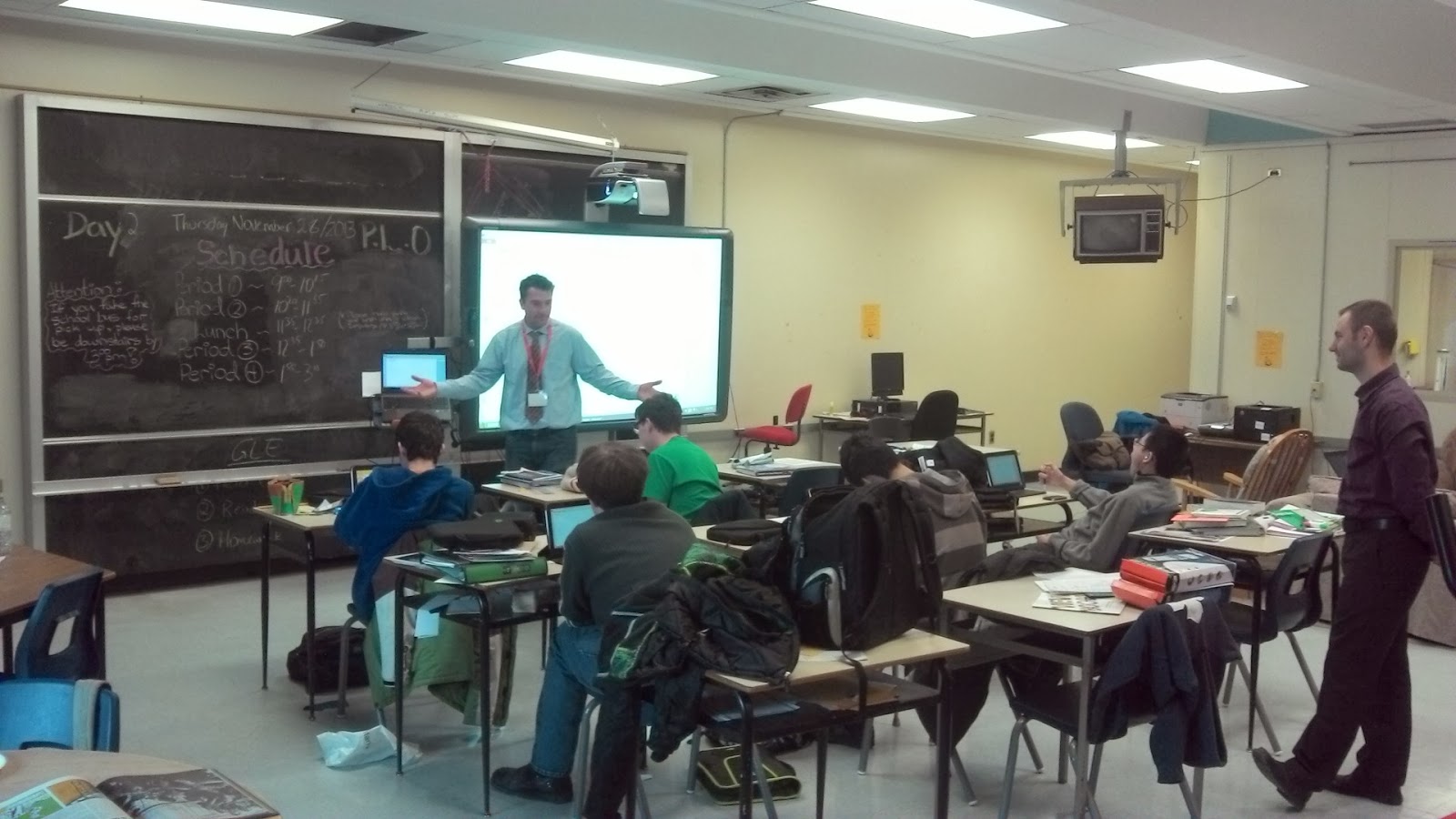
Trainer Dustin Jez introduces OneNote to the class. Teacher Michael Pascaris (pictured right) supporting students' journey as well.
Students can access OneNote and other programs using touch, keyboard and a stylus.
 The classroom teacher and students participate in a series of training sessions using OneNote to support their learning. One of the goals of the TDSB's OneNote project is to support students with organization and transitions.

Using the screen clipping tool of OneNote, this student shares his feeling about
the new program with a simple, "I feel good."

Saturday, April 7, 2012

RWG Flash - Secondary activity - Human-Environment Interactions - grade 9

In this learning activity, students use the Research Features toolbar's Fact Folder to collect and organize information about the ways in which humans and the environment interact. The students then use the Study Skills toolbar's highlighters to determine the key facts from their collected information document. Students can transfer and organize information into a graphic organizer which can be used as a basis for an Environmental Awareness poster (Applied) or persuasive presentation on improving the balance of human and natural systems (Academic).


To download the Read and Write Gold lesson click here.

post list