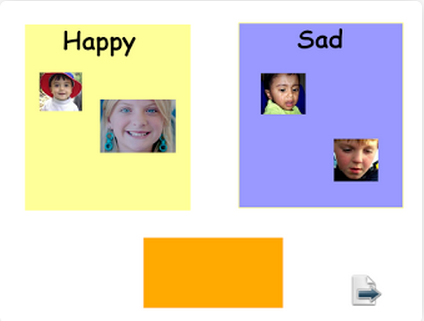
Showing posts with label SMART Ideas. Show all posts

Tuesday, November 25, 2014

Working sessions for phase one completed


SEA Curriculum and Resource Technology (C.A.R.T.) claim


Approximately 160 schools that indicated interest in learning more about the SEA C.A.R.T. claim have attended our working sessions.  Each school sent a lead to one of eleven working sessions that focused on the requirements for the claim, writing the IEP to support the claim and the assistive software supported.


More working sessions will be provided in the new year for phase two schools.  Schools can indicate interest in attending a working session to learn more about the claim by completing the C.A.R.T. Claim survey.  Information for phase two schools will be available in Direct Line in December.

Wednesday, November 12, 2014

The Math Mission - getting our students communicating about Math using AT

The AT team's Math Mission launched this week with the first Learning Community session at Terraview Learning Centre. Among the learning at the session, the Math Mission special education teachers participated in a carousel of activities which incorporate assistive technology to facilitate math communication. They also learned about the Virtual Learning Environment (vLE) through Desire2Learn (D2L) on-line digital learning management system platform, where teachers and their students will post, share and discuss their math problem solving throughout the year.

A screenshot of part of the Math Mission D2L site.
The Learning Community meets several times throughout the year. To start, teachers picked at least one marker student to track on a "communication rubric".


During the carousel, teachers explored strategies and tools on the Promethean Interactive Whiteboard and the use of Ministry-licensed software program SMART Ideas.

SEA consultant Christine Harvey-Kerr modelling the use of the IWB to get students
 talking during an activity "Tug for the Truth".

Teachers had hands-on opportunities to work with various assistive technology tools to see how they would connect with the learning needs of their students to support communication.

Using the interactive whiteboard as a student activity centre.


Developing a SMART Ideas template - a scaffold to help students organize their ideas when answering problem solving questions in Math.

Creating a Math vocabulary word list for students using Read and Write Gold.


Being part of the project is that teachers are committing to trying open problems with their students while concentrating on using AT to develop their students' math communication skills. 

Thursday, September 25, 2014

The Individual Classroom Referral - one support to kick-start the year to embed A.T. in your special education classroom

A.T. team's Individual Referral

Are some of your goals this school year is to use new and varied differentiation strategies as well as technology to support your special education students? The A.T. team's individual classroom referral may be something that you are looking for.

Our team supports individual classroom special education teachers and their students in the model Job Embedded Professional Learning.

There are two parts to this referral. There is a session of co-planning which includes reflecting on your student's needs, conducting a survey of what technology you currently have access to as well as planning a lesson which embeds assistive technology to support your student(s) learning.
(When planning an A.T. support with the focus of Universal Design for Learning a tools or strategy which is essential for a few students, the classroom teacher will note that all students benefit.) The second part of the referral is job-embedded as the teacher puts the planned lesson or activity into action in the classroom with his/her students. The A.T. itinerant teacher is there to provide as little or much support as the special education classroom teacher requires; from modeling to co-teaching. Reflection is included in the second part of the referral to ensure the classroom teacher has clear and personalized next steps in his/her journey incorporating A.T.

Our referral is open to ISPs and HSP special education classrooms - elementary to secondary.Here are a few examples of referrals that were done last year. Click on the images to link to a few of our detailed blog posts which share more detailed information about just a few of our previous sessions.

Junior LD - Read and Write Gold and SMART Ideas
Embedding Read and Write Gold during a Biodiversity research project at Bowmore Jr & Sr P.S.
Primary HSP - IWB and peripherals


Reinforcing classroom learning using the IWB at Clinton Public School's Primary HSP.

Junior HSP - SMART Ideas and IWB


Using the IWB and graphic organizer programme SMART Ideas to support the writing process in a Junior HSP class at Forest Manor Public School.
Secondary DD ISP - IWB


Stay tuned to our blog to read more snapshots of our referrals. TDSB teachers can access the itinernal referral form by going to the SEA Information and Forms tab on the internal web site here.


Monday, June 2, 2014

AT team members to present at ETFO ICT Conference for Women


AT team members SEA Consultant Christine Harvey-Kerr and Itinerant Resource teacher Valia Reinsalu presented back-to-back session at the Technology for Teachers ETFO's ICT Conference for Women, May 31. Their hands-on workshop was entitled: Using Assistive Technology to Facilitate Mathematical Communication with Your Special Education Students.

Itinerant teacher Valia Reinsalu (left) and SEA Consultant Christine Harvey-Kerr (right).

During the session, teachers learned way to support Math communication via the use of the Interactive Whiteboard tools and strategies and SMART ideas, a graphic organizer program which supports students organization of ideas and connection of idea via colour coding and visuals. Examples of student work produced using AT and mobile apps were also shared. During the session, participants had ample hands-on time to modify or create activities for their own use from the modeled sample files.

Workshop participants uses digital manipulative on the IWB.
The two-day conference started at ETFO head office on Isabella Street on Friday with professional development by presenters shared their classroom-based projects and initiatives. The following day involved hands-on workshops at OISE`s Bloor Street computer labs. Topics included learning about Ministry-licensed software, Interactive Whiteboards, iPads, Google drive, as well as ETFO and other online resources. There were 22 presenters and 130 participants from all over Ontario at the event, with participants from Windsor to as far as Sioux Lookout. 


Tuesday, March 18, 2014

Embedding Read & Write Gold into lessons - itinerant referral at Bowmore Jr. Sr. P.S.

Students in Graham Seater's Junior Learning Disability class have been incorporating assistive technology into their learning.  Through an individual class referral collaboration between Mr. Seater and assistive technology  itinerant teacher Valia Reinsalu, students have begun using graphic organizer software SMART Ideas, in conjunction with Read and Write Gold (RWG) tools, to support both research and writing.

Students' first exposure to SMART Ideas was during a Biodiversity research project. A template was created to included everything students needed to get started on internet research about an animal of their choice - including categories, built-in sticky notes, as well as a few hyperlinks.SMART Ideas helped support students' organization of ideas, while the text-to-speech feature of Read and Write Gold supported their reading comprehension.

(Students also used, PebbleGo, a website with built in text-to-speech features to help support the students' reading comprehension. Pebble Go Animals can be accessed from the TDSB's virtual library - online databases section.)


(Top) Mr. Seater walks through the SMART Ideas template with students. Tiered elements are colour-coded specific shapes. Built-in connectors also provide a visual support to the students about the relationships and organization of information. (Bottom left) Using the text-to-speech tool to listen to instructions. (Bottom right) A student records research information.


In a second lesson, students created their own documents using SMART Ideas when writing a Choose your own Adventure story. The Read and Write Gold tools for their first draft writing included the Picture Dictionary and Word Prediction. Both RWG tools can be used at the same time - the word prediction, with it's built-in auditory support, helped to support students' spelling and word use. The picture dictionary provided a visual layer of support.

(Left) Junior students first learn to customize their My Features toolbar -adding tools they will use during the writing assignment. (Right) A student tries the picture dictionary - Lego anyone?  

Mr. Seater models how students will write their first draft of their "Choose your own Adventure" story within SMART Ideas using Read and Write Gold's picture dictionary and word prediction tools (see right side of the screen).
Students start writing their own Choose Your Own Adventure story.

Monday, January 6, 2014

The Math Mission continues...

The Mission Continues

The teachers involved in the Math Mission met again in December to further investigate how blended learning (D2L) and assistive technology (AT) can be used to support math communication in their classrooms.  Based on feedback from community members and information regarding student needs, our second professional learning community focused on using AT to support students to use math words to explain mathematical thinking and to ask questions to clarify mathematical communication.

Teachers had the opportunity to use AT to differentiate student learning based on readiness using tools such as: interactive whiteboard software, graphic organizer software, and mobile apps, along with concrete manipulates.


Community members have set goals for how they plan to further their use of AT and D2L to move their students’ mathematical communication between now and our next professional learning community meeting in February.

“I will definitely use Read and Write Gold to create vocabulary lists to help my students understand the language of math.” A community member

Wednesday, December 18, 2013

A brief reflection on the immediate impact of assistive technology - Duke of Connaught P.S.


Duke of Connaught grade 7 & 8 class recently completed their first segment of an itinerant referral via a collaboration between HSP intermediate teacher Patrick Darkhor and east Assistive Technology itinerant teacher Valia Reinsalu. Darkhor wanted his students to explore the use of specific graphic organizer program SMART Ideas as an assistive technology support for his students' writing. The students learned how to use SMART Ideas in conjunction with Read and Write Gold in order to generate ideas about the topic of Community.
This is the first step of the process which Darkhor aims to have his students regularly self-select assistive technology tools and software to support their learning.


A few samples of the brainstorm process.

Here's Patrick Darkhor's reflection following the first sessions of the itinerant referral:

"Their (the students') responses slightly varied but majority of them thought that their work shows more information when they do it on computer using the AT. They also thought they can focus more on the task when they do it on the computer using the Read and Write program. They feel they can do more work using the program. My observations of their completed task also indicate that the quality of their assignments has significantly improved using the AT. Their work is more organized, more detailed and to the point in most cases."

Friday, December 6, 2013

Graphic organizers to support student writing at Forest Manor

One idea to support students in writing a narrative

Many students benefit with the use of a graphic organizer to support their learning. The use a graphic organizer as part of students' writing process, provides them with a concrete visual way that students can make sense of connections, patterns and relationships between their ideas.

At a recent Assistive Technology itinerant referral, Special Education teacher Angela MacMillan-Suzuki and Itinerant Resource Teacher Valia Reinsalu explored the use of the Interactive Whiteboard along with the graphic organizer programme SMART Ideas to support MacMillan-Suzuki's students in writing their own narratives.

First, students experienced a whole group lesson using the interactive whiteboard (IWB), to review ideas about the structure of narratives and and to create their first digital graphic organizer. Planned for the second part of the lesson, students will create their own graphic organizer and fill in the details to scaffold and support their organization of ideas as a first step in creating their own stories.


Supporting the writing process
The IWB provided a large, visual interactive learning space. The teachers facilitated the lesson as students took turns at the board, in order to co-construct a blank narrative planner. SMART Ideas' organizer elements are all customizable and editable. The class used of different shapes, colours and size of text, to visually represent and reinforce the overall structure of a narrative.

Lesson part 1
As a first step in understanding and using strategies and tools of SMART Ideas, the class co-created a narrative graphic organizer based on their knowledge of the picture book: The Gigantic Turnip.

Step 1.

The Forest Manor students were able to access the board in different ways, writing each element of a narrative on the board using a pen, keyboard or their finger (eg. setting, character, problem and solution). 


The SMART Ideas toolbar prompts the student 
to choose how he would like to convert the writing. (see toolbar above student's hand).
The student can convert the  text into an information element.

Step 2.

Students added details of the story, The Gigantic Turnip, to each narrative element heading. By choosing a red hexagon and black text for the narrative element (eg. character) and blue pentagon with white text (details and names of characters in the story), students had a visual and concrete reminder how the parts were related.

This student used the pull-down arrow to add a detail
to the Character element.  


Once an element is added, a student can add text to the detail by using the online keyboard to type information. 
Students can use Read and Write Gold within SMART Ideas to provide them with writing support (spelling, word prediction, text-to-speech).

Ms. MacMillan-Suzuki with her student's first digital graphic organizer in progress.
Lesson part 2 (to be continued)
Students will be creating their own narrative organizers and filling it with their own details and ideas. Once all their text is added, a SMART Ideas organizer can be converted into a Microsoft Word document. In that format, the Word document contains organized, categorized jot notes, which students can add to and edit, using Read and Write Gold tools, until they have completed a well-written story.

The itinerant referral is one of the many roles that the Assistive Technology itinerant teachers is to support Special Education teachers and their classrooms through individual referrals. Through the Job Embedded Professional Learning model, the AT team and classroom teacher and IRT co-plan and co-teach lessons which incorporate the use of assistive technology software tools to differentiate learning. 

All together there are six itinerant teachers supporting special education teachers in Assistive Technology in the TDSB. Referral forms can be found on the internal TDSB web site.

Monday, December 2, 2013

The mission of these junior special education classrooms, it to promote Math talk.

The Math Mission
How do you support Mathematics engagement and achievement? Why not incorporate the use of assistive technology software tools as accommodations in order promote Math talk when solving open problems within the classroom? 

That's the main goal of the A.T. team's Math Mission pilot project this year starting in seven junior Special Education classrooms in the TDSB.
The Math Mission pilot is investigating how supporting students to clearly communicate their thinking and questions in Mathematics learning, will transfer into formulating well-supported detailed written answers (when students solve open problems).
The Math Mission goal.

And another layer is that the teachers and classrooms are accessing lessons and posting solutions via the Ministry-licensed learner management software Desire2Learn. 

Desire2Learn is a software that supports blended learning, where lesson content (including web links, multimedia and other digital resources and reference material) can be posted and accessed on a cloud-based course site - to compliment learning that happens in the classroom setting. But along with posting multimedia solutions to specific lesson activities, Desire2Learn provides a way for teachers to support a discussion thread, for students (and teachers) to share solutions, ask questions, and provide feedback to each other. 

While students and teachers practice 21st century skills of communicating on-line, Desire2Learn is a safe platform - as only those pilot participants have access to the course.

Cloud collaboration and communication
Teachers and students interact weekly on-line on the Math Mission course, the pilot teachers get together three times during the year in their Math Mission Learning Community at Terraview Learning Centre. The in-class sessions are designed for the teachers to use assistive technology to differentiate student learning via an open problem using tools such as: Interactive Whiteboard software, graphic organizer software, and mobile apps, along with concrete manipulates to facilitate learning of Mathematics and support communication. 

During early November's first session, the LC teachers also learned how to navigate and post on the Desire to Learn Math Mission course. Data was also collected as teachers recorded their marker students' initial abilities to communicate in Math.
In order to monitor the growth of students' ability to
communicate, teachers are tracking their marker students.
Assistive Technology to support student learning
The pilot teachers traveled to stations via a modeled lesson. In that way they can transfer their learning when supporting their own students. Here is one solution that was recorded and posted on the Math Mission course, using IWB software and video recording:


The Math Mission continues on-line and the pilot teachers meet again next week for LC2. The A.T. team has initiated a number of pilot projects this 2013-2014 school year. Along with the Math Mission, team members are supporting Read and Write Gold tools to support EQAO, and Microsoft OneNote in Intermediate classrooms to support organization and transitions.

Thursday, June 20, 2013

Read and Write Gold project update and Tecumseh P.S. Behaviour ISP explores NoteBoard and more...

The A.T. team is winding down the 2012-2013 school year (and is beginning to plan exciting and engaging projects for the upcoming one). Among the projects that the Itinerant teacher team has wrapped up include the Read and Write Gold Assistive Technology pilot, Come back and swim with us - Mentor project, So, you inherited an interactive whiteboard, now what? as well as Learning Community groups.

Read and Write Gold Assistive Technology EQAO pilot finished
The second year of the A.T. team's Read and Write Gold EQAO project is finished.

Several schools across the TDSB have participated in our A.T. project to support students in Grade 3 and 6 Special Education classes to prepare for writing the Education Quality Accountability Office's province-wide exam. The project supported students and teachers in the use of Read and Write Gold tools when writing the Assistive Technology version of the EQAO test.

Using dual screens and Read and Write Gold word prediction tool.


Hillmount Public School grade 6 HSP class was one of the pilot participants. In the following sound files, a student explains how he is using Read and Write Gold during a practice session.

Multiple choice


Word prediction


Learning Community Job-Embedded Professional Learning in an Intermediate Behaviour ISP at Tecumseh P.S.

A number of teachers co-plan and co-teach with their LC itinerant teacher as part of the year-long professional development when incorporating the interactive whiteboard in their Special Education classroom. During a recent in-class session at Tecumseh P.S., Miriam Taylor's Intermediate Behaviour ISP class explored stating an opinion and creating an evidence-supported persuasive essay using assistive technology software and the Interactive Whiteboard to scaffold the entire writing process.

Should Hugging be allowed in schools?

Generating ideas
As a way to begin brainstorming ideas around the topic of hugging in schools, Ms. Taylor first used the ActivExpression Learner Response systems and Promethean's NoteBoard application. The Learner response systems allow students to anonymously text in an idea or word related to the topic.  The NoteBoard app links the texted responses to the central idea or topic as responses are entered through a process known as "word seed".
Ms. Taylor discusses the ideas generated on the Noteboard. Students use the learner responses to text in a word or idea.
 The Noteboard app automatically links their responses to the main topic of persuasive essay "Hugging".
The Learner Response systems provide a means for all students to contribute to class understanding. The technology also supports engagement and focus for all students as responses can be viewed almost instantaneously.

Stating an opinion
The lesson continued with Ms. Taylor and her team teaching partner Kenneth Kalisch, leading students through the lesson to define, describe and consider the topic of hugging using video, images and quotes. Students were encouraged to add their ideas and information to various pages such as the pros and cons of hugging , using text, handwriting and verbal responses (adding sound using the Sound Recorder). The group also viewed a video of a recent news story discussing a ban on hugging in an elementary school. All notes and student-generated ideas were saved on the flipchart and put on the student share drive.

By exploring the topic of hugging through a number of lenses,
students are able to form a position on whether or not hugging should be
allowed in schools along with supporting evidence.
Organization of ideas using SMART Ideas concept mapping software

The students were given a SMART Ideas template outlining the structure of a persuasive essay. Each student then began to add content to the template in the whole group setting using tools of the IWB. Both the flipchart and SMART Ideas organizer were then saved in the Tecumseh Student Share folder, so students could use them as a reference and continue to work on constructing their persuasive essay on individual computers.

Students could listen to the sound files and revisit the written ideas to use as supporting evidence for their persuasive essay. Visual learners can see the structure of their writing using shapes and colour in the "diagram view". Each section is editable. Students can add their written ideas in each specific area. Along with the diagram view, the program has  an outline view - showing all of the text of the concept map in an organized linear structure. Both the diagram and outline can be exported into Microsoft Word for further editing and revision.


Concept-mapping software such as SMART Ideas support students'
organization of ideas in writing such as those elements of a persuasive essay. This is the diagram view.
Ms. Taylor also ensured that her students' first draft and revision stages are also supported through the use of tools of Read and Write Gold.
One Tecumseh P.S. student's sample - all stages of the process in writing the persuasive essay "hugging should be allowed in schools."


Thursday, February 28, 2013

Exploration Classrooms in AT & Special Education

Exploration Classroom – AT Focus


The Assistive Technology Team recently hosted an Exploration Classrooms for Special Education and Assistive Technology.


On February 22, Lisa Sherman welcomed visiting teachers to her HSP Classroom at Allenby P.S. Teachers observed three literacy centres that focused on matching voice to purpose and identifying the author’s point of view.
Guided reading

At the writing centre, students used a SMART Ideas template and Read and Write Gold to plan their first person narrative - written from the point of view of Harriet Tubman. At the SMART Board centre, students viewed a “behind the scenes” video and completed a video response. While students worked independently at those centres, Lisa taught a guided reading activity in which students compared a third person article to a first person narrative text. Visiting teachers were impressed with the facility and independence her students demonstrated with the assistive technology.

Video Response
SMART Ideas, Read and Write Gold
In the afternoon, all had the opportunity to debrief the lesson and to review the activities the students had completed prior to our visit. Lisa shared the success her students have had using templates in Smart Ideas to plan and organize their written assignments, as well as how she integrates Read and Write Gold and whiteboard technology into her teaching. Visiting teachers then had the chance to plan a language activity that integrated assistive technology.


We would like to thank Lisa for sharing her knowledge, expertise and challenges using AT in her classroom.


Look on Key to Learn for an opportunity to visit our other Exploration Classrooms in March, April and May.

Thursday, May 24, 2012

Boys Project phase two update: BoyzNLiteracy

BoyzNLiteracy


The second phase of the Boys’ Literacy Project is currently taking place in 5 different ISP classrooms in 4 different schools.  Phase Two continues to focus on the goals of increasing student engagement and developing learning skills related to literacy.  In addition, another goal was established, to improve students’ planning and organization. 

Each teacher, in collaboration with the AT Team, created “A Mission” using Smart Ideas software to guide students through the inquiry process focusing on a specific topic and media format for the final product.  Students use iPods, the IWB, Smart Ideas and Read and Write Gold throughout their mission.


Session One

In Session One at Queen Victoria P.S., students were introduced to their inquiry question “How might gender have mattered for knights in medieval times?”.  Students brainstormed what they knew about knights and what they needed to know to answer their inquiry question.  Students worked collaboratively to record their ideas using the portable keyboard, view ideas on the IWB and use SMART Ideas to organize their information.

Questions about knights using SMART Ideas.

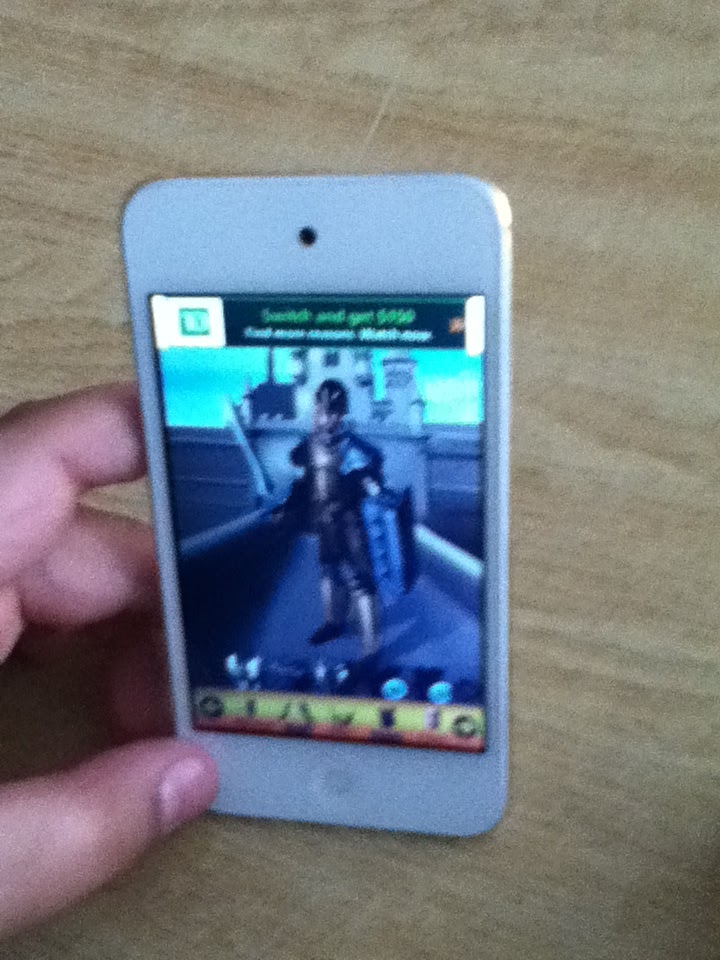
Students then, used the iPods to explore how knights dressed using the app “Make A Knight”.  Throughout the mission, students gathered information from a variety of sources: apps, video, images, websites and books. 


Assistive Technology Professional Development and training year-round
Training sessions continue to be offered once this 2011-2012 school year comes to a close. Parents of students with S.E.A. claims are invited to sign-up for training sessions in the West (Burnhamthorpe C.I.)
or East (Terraview L.C.) locations in the month of August.
For more information and to find the contact e-mail please download the
brochure here: Parent sessions.

TDSB staff new to using the Interactive Whiteboard in September also have opportunities for training during the summer. The A.T. team offers sessions both in early July and late August at both the East and West training centres.

For more information click on: Interactive Whiteboard Training or use your QR code reader to get the brochure sent out on Direct Line to TDSB staff about how to find sessions on Key to Learn.


post list