Showing posts with label Special Projects. Show all posts

Friday, October 31, 2014

SEA ActivTable Project

Engagement, Collaboration and Cooperation


The SEA Assistive Technology Team is excited about our pilot project involving the Promethean ActivTable. Many of you may we wondering, “What is the ActivTable”? The ActivTable is an easy to use interactive ‘table’ that allows up to six users to simultaneously engage, collaborate and cooperate on a task or activity together.

Teachers have begun to receive their ActivTables and are very excited to learn new ways to facilitate cooperation and collaboration with their students. Each Special Education classroom that has received an ActivTable will be supported through two in-school training sessions where they will learn how to use the ActivTable along with how to create or modified existing activities. 

Participating teachers will also attend a Networking session were they will be able to hear other teachers’ successes with the ActivTable and ways in which the ActivTable has been used in their classrooms. Furthermore, they will have the opportunity to explore various ways they can use or create activities for the ActivTable that meet the specific needs of their students.
Schools have been very excited about this new technology in their classrooms.
Images of students interacting with the ActivTable.

Thursday, October 2, 2014

TDSB A.T. pilot project: Proposals open now for supporting junior special education students to use A.T. to prepare for the EQAO process


For the past two years, special education has run an EQAO and Assistive Technology pilot project to provide ongoing support for teachers and students to use assistive technology software to prepare for the EQAO process.  As a result of this pilot project, EQAO exemptions are down for students with special needs and student test results are improving.  We are excited to announce that this project will be continuing this year!


This project is open to all HSP and ISP (LD or Behaviour) classrooms with at least three (3) students in grade 6 writing EQAO.

To participate in the EQAO and ASSISTIVE TECHNOLOGY project, teachers will need students to have:

ü  Access to a PC computer with at least Read and Write Gold (RWG) version 10 for all in-school sessions and for all assessments including EQAO test dates
ü  Commitment to regular keyboarding practice
ü  An IEP that outlines assistive technology accommodations that are necessary for and consistent with regular classroom practices and all assessments, including EQAO

Four in-class sessions will be held throughout the term of the project where an Itinerant Resource Teacher will come into the classroom and work with the students and co-teach with teacher support on using Read and Write Gold to answer EQAO-style questions. Classroom teachers will also participate in two Learning Communities where they can connect with other special education teachers, explore features of Read and Write Gold and to review EQAO procedures during test day.

Additional information regarding this project can be found on the September 29th DirectLine
( http://tdsbweb/directline/ ). Applications to participate are due by Wednesday October 15th.


Any Special Education teacher who teaches a class that meets the criteria noted above is encouraged to apply and have their students be a part of this powerful learning opportunity.

To see more about connecting Read and Write Gold tools to specific needs of your students check out our YouTube channel videos.


Wednesday, June 4, 2014

What's happening in Kindergarten with AT? Spotlight Dovercourt P.S. KELI class using IWB to support language development

Using the IWB to Get Students Talking

The Assistive Technology Team in collaboration with the KELI (Kindergarten Early Language Intervention) Program hosted Exploration Classrooms focusing on using the interactive whiteboard to support language development in kindergarten students.  KELI staff at Bruce P.S. and Dovercourt P.S. welcomed six visiting teachers during three different times.
Visiting teachers observed how the KELI team, teacher and speech language pathologist used interactive games and activities to engage students in oral discussion about the story, The Gingerbread Man.

On the day of our visits, the KELI kids decorated their gingerbread man and were surprised to find out that he had run away.  Students then visited other classrooms to ask if students or teachers had seen him.

Following the classroom visits, participating teachers met with Christine Harvey Kerr (SEA Consultant) and Stephen Ellison (KELI Lead) at Terraview Learning Centre to learn more about the KELI program and to see how interactive whiteboard technology is used to support students’ oral language skills in the program.  

Using a matching activity on the IWB to reinforce character names and to create discussion.
Modelling how to create a missing poster on the IWB for students to use when visiting classrooms to explain about their missing gingerbread man.

In addition, time was provided for participating teachers to create their own interactive whiteboard resources to use when they return to their classroom.

We were glad to hear that the KELI kids found their missing gingerbread man.


Thursday, May 29, 2014

The Math Mission: Using Pictures to Communicate to Mathematical Ideas

Communicating in Mathematics

The Math Mission Project held its final classroom visit at F.H. Miller Public School.  Visiting teachers had the opportunity to observe and discuss a lesson during Mira Campbell’s resource period. The focus of the lesson was on using pictures to communicate in mathematics.

In an earlier lesson, students brainstormed using Padlet on the interactive whiteboard why it is important to use pictures in mathematics.


Students commented that pictures can support the understanding and communication of math.
“Pictures are helpful ….. some people are visual”.  Chelsea
“Pictures are helpful because it can show how you did your answer instead of writing (show my thinking)”.  Annabella
“Pictures help me because I can understand the information better and faster”.  Brian


In addition, students reviewed a variety of infographics to see how pictures were used in different contexts to communicate ideas.  They shared their thinking using the annotation tools in Skitch and the insert sound feature in Notebook.

Click on the link below to view a video created by Mira Campbell to highlight the lesson that the visiting teachers observed.
Thank you to Ms. Campbell, Annabella, Brian and Chelsea for sharing with us how they can use pictures to communicate their thinking in math.

Monday, January 6, 2014

The Math Mission continues...

The Mission Continues

The teachers involved in the Math Mission met again in December to further investigate how blended learning (D2L) and assistive technology (AT) can be used to support math communication in their classrooms.  Based on feedback from community members and information regarding student needs, our second professional learning community focused on using AT to support students to use math words to explain mathematical thinking and to ask questions to clarify mathematical communication.

Teachers had the opportunity to use AT to differentiate student learning based on readiness using tools such as: interactive whiteboard software, graphic organizer software, and mobile apps, along with concrete manipulates.


Community members have set goals for how they plan to further their use of AT and D2L to move their students’ mathematical communication between now and our next professional learning community meeting in February.

“I will definitely use Read and Write Gold to create vocabulary lists to help my students understand the language of math.” A community member

Friday, May 24, 2013

Mackie P.S. - You Inherited an IWB – Now What? ~ Observation Class

You Inherited an IWB – Now What? ~ Observation Class on Inferring

This year the SEA Department - Assistive Technology implemented a new project entitled “You Inherited an Interactive Whiteboard (IWB) - Now What?” to support teachers who have an IWB in their special education class but may not have been part of the initial training that came with the IWB. In addition to a Learning Community Model that supported teachers through 4 half-day sessions that modelled how the IWB could be used to support their special education students through various curriculum objectives, the participants were also given the opportunity to engage in a co-planning/co-teaching session with an Assistive Technology Itinerant Teacher.
Margot McFarlane, from George P Mackie, volunteered for this opportunity. She met with the Itinerant Teacher and together they co-planned an engaging, hands-on lesson on Inferring, use the Promethean Board and Ladibug Document Camera. Teachers from the Learning Community were invited to watch the teaching of the lesson, along with an opportunity to pre-brief before the lesson and debrief afterwards.
The book “Something Beautiful” was selected for the lesson. It was introduced to the students by displaying it with the Ladibug Document Camera. Students used the various IWB tools (Pen, Camera, Keyboard, and Sound Recorder) to record their predictions. The visual and auditory support allowed students to convey their responses in a format that was most comfortable for them.
                        
            The remainder of the book was shared with the students, again displayed with the Ladibug Document Camera. Afterwards, images of the story were used to help support students’ understanding of Picture Clues and Text Clues.
Reviewed concepts of Picture/Text Clues and Background Knowledge with visual supports.
Students used this knowledge and the IWB tools to make an inference.
  

                Students were then given a different part of the story, and in partners, had to make an inference.


Margot McFarlane (teacher) showing her student how to use the Ladibug Document Camera to capture an image. 


Student using the Camera Tool to capture a text clue for her inference.

Thursday, January 10, 2013

Mentoring the Interactive Whiteboard Learning Communities

Mentoring


Mentoring is a brain to pick, an ear to listen, and a push in the right direction. ~ John Crosby


We are very fortunate to have some former TDSB Interactive Whiteboard Learning Community (LC) members acting as mentors for our current LC teachers. This opportunity gives experienced interactive whiteboard (IWB) users the opportunity to share their successes and challenges with using IWBs whilst offering support to new IWB users, to help them build on their own expertise. The "Come Back and Swim with Us" SEA team project is new this year. In total, there are 20 special education teachers from east and west regions TDSB participating as a mentor this year.


At a recent Learning Community for teachers who teach students with Learning Disabilities, mentor Michael Azzopardi from Millwood Junior School shared a Science lesson that he taught his students using the IWB.

Michael is displaying a graphic organizer used by a student in his HSP class on the IWB.
Michael demonstrated how picture clues were provided to the student along the left-hand side of the IWB. The student was then able to use the pen tool to jot their point form notes on the graphic organizer provided.


Michael then showed how student work could be captured, using a document camera, to help with editing student work. Michael had the students use “digital whiteout” by selecting the pen tool with white ink to erase their error. Students then chose a different colour to write in their correction. Michael found that more students were able to catch their own errors when their work was displayed on the IWB.

Modelling the editing process: Michael demonstrating how student work was captured using the document camera so that students could edit their own work on the IWB.


This sharing of best practices inspired many of our current Learning Community members to appreciate the different ways the IWB and peripherals can support student learning.


Friday, December 14, 2012

In-class observation session - ISP Autism experience

Learning Through Observing: An ISP Autism Experience
Through the SEA department, ISP and HSP classes can apply for an Interactive Whiteboard (IWB) for their classrooms through a group claim. Along with receiving an IWB, teachers of these classes are also supported through Learning Communities (LCs) and Observation Classroom experiences. Further support is provided through our new Mentor Project, whereby teachers who were part of the group SEA Claim process last year returned as Mentors this year to provide additional support to teachers new to IWBs.

One such teacher, Sharon Smith from White Haven P.S., volunteered to support one of our ISP Autism LCs. Along with supporting the LC sessions, she also offered to host an observation classroom. Teachers from this LC had the opportunity to visit her class for half a day. The participating teachers came away with lots of useful tips, strategies and ideas for their own classes while walking around her room to see the ways her classroom was organized, watching the lesson being taught to her students and during the debriefing time where questions and best practices were shared by all. All teachers agreed that this was a wonderful and extremely valuable Professional Learning opportunity.


De-escalation/Calming Area (left); Sensory Corner (right)


Quiet Corner: Outside View (left); Inside View (right)


<

Video Clip Sample on an IWB (left); Teaching the concept of arrays using an IWB (right)

In-class sessions are associated with each of the 25 learning communities. Below are a few sessions held in the East in a variety of school with a variety of exceptionality classrooms.

Friday, October 5, 2012

Boys Literacy Project and project updates - TDSB AT team


Engaging Boys in Literacy – The Mission Continues


The SEA Assistive Technology Team is pleased to continue the Boys Literacy Project in the classrooms that participated in spring 2012. The project will run from October 2012 to June 2013 at the following schools: West Glen P.S., Blantyre P.S. and Queen Victoria P.S in 4 special education classrooms.
The project is designed to support teachers to implement inquiry based learning activities using media literacy as the framework to engage boys in reading and writing. Based on the success reported by boys in using iPod technology to receive and express information, a decision was made to further investigate the impact of iPod use in literacy instruction.

For additional information, please view the project flyer.

EQAO Pilot Project

The SEA department is committed to providing ongoing support for teachers and students to use assistive technology software during the EQAO process and ongoing learning.

This year our itinerant teachers will be supporting over 32 special education classrooms. During three half-day sessions, students and their teachers will work with itinerant special education teachers to learn how to use the features of RWG for assessment purposes. Students will develop strategies to help them demonstrate their thinking by responding to question types such as: multiple choice, short answer, and problem solving as well as creative writing. Additional learning community sessions will also be made available for teachers professional growth; learning new ways to incorporate assistive technology into daily practice, including assessment for EQAO.


Mentor Project

The inaugural SEA AT  Mentor project "Come Back Swim  with Us" met this week for half-day professional learning. It was a full house in both the East and West centre locations. Mentors, who participated in the SEA Interactive Whiteboard Learning Communities last year, are back to extend their differentiated learning strategies using the tools of the interactive whiteboard. Mentors will also be supporting new IWB Learning Community members in a variety of ways throughout the year.


Thursday, September 27, 2012

SEA AT Learning Communities - 2912-2013 school year preview


Building Capacity with Learning Communities

One of the roles of the SEA Assistive Technology team is to provide professional learning opportunities that are relevant and responsive to the needs of the special education teachers and schools we support. This year are pleased to introduce three exciting initiatives to support educators and build capacity board-wide.


Learning Communities:

Within the SEA Department, our Learning Communities (or schools of fish – as each group is cleverly named after a fish of the ‘SEA’!) are created to support collaborative professional learning and enable teachers to meet, network and build relationships with their colleagues. Learning Communities are designed for HSP or ISP teachers who have received a SEA Interactive Whiteboard (SMART or Promethean) and have received their 2 hours of technical training.

Our sessions focus on ways in which to integrate the IWB into meaningful student learning in the areas of visual literacy, differentiating math, and engaging all learners with a specific focus on the social, emotional and academic needs of each population of learners. Teachers are invited to meet with their community members and corresponding itinerant teacher for three half-day sessions throughout the school year. Supply coverage is provided…and additional tech pieces are introduced and offered to support the technology currently within each classroom.
We look forward to meeting our Learning Community members and learning with them through this exciting process of collaboration and professional growth!

Inherited a Whiteboard


Smart and Promethean Interactive Whiteboard

The SEA Assistive Technology team is always eager to receive feedback in order to ensure our initiatives are relevant and responsive to the needs of teachers and students. Our “So…You’ve Inherited a Whiteboard…Now What?!” project is aimed at providing support to teachers who did not themselves put through the SEA claim for the whiteboard currently in their classroom, and as a result, did not receive the initial technical training or PD provide through previous Learning Communities. This project is geared towards HSP and ISP teachers who have been recently assigned to a class that has an IWB attached to its program and are in need of professional support.

These teachers will be invited to attend three half-day sessions focusing on ways in which to incorporate the IWB into meaningful learning opportunities for their students.

The SEA Assistive Technology team is pleased to offer this new and exciting project and look forward to meeting and working with the teachers involved!

Interactive Whiteboard Mentor Project:
                               Come back and swim with us!


Opportunities for Collaborative Learning, Support and Leadership with our new Mentor Project


The SEA department is thrilled to introduce another new initiative this year – our IWB Mentor Project. Our Mentor Project invites former Learning Community members back to support our SEA team and new Learning Community members in their journey of professional development and growth.

New Learning Community members will be supported by our mentors as phone/web friends, and collaborative partners during the Learning Community process. Mentors are encouraged to bring and share success stories, lesson activities and their experience incorporating Assistive Technology into their special education programs. In addition, mentors may choose to attend sessions or host demonstration classrooms.

This new project will enable teachers to feel supported as they learn, grow and develop professionally - both in a leadership capacity as a mentor and as a new Learning Community member. The SEA team looks forward to welcoming back familiar faces as well as meeting our new and eager Learning Community members!


Wednesday, June 27, 2012

Boys Project Phase 2 Update: Glogster project highlights

Boys’ Literacy Project Spring 2012


“The Mission is Complete”

The five classrooms that participated in this phase of the Boys’ Literacy Project completed their missions in June. The students incorporated Smart Ideas, Read and Write Gold, media research and iPod technology to produce a variety of projects. Each classroom had their own focus for their mission and final products included book trailers, hero reflections, medieval times research and narratives.


Click on the link below to view a glog highlighting student feedback and links to glogs of the projects completed by the teachers at our final professional learning session.

Cassandra Glogster
West Glen Glogster


Thursday, May 24, 2012

Boys Project phase two update: BoyzNLiteracy

BoyzNLiteracy


The second phase of the Boys’ Literacy Project is currently taking place in 5 different ISP classrooms in 4 different schools.  Phase Two continues to focus on the goals of increasing student engagement and developing learning skills related to literacy.  In addition, another goal was established, to improve students’ planning and organization

Each teacher, in collaboration with the AT Team, created “A Mission” using Smart Ideas software to guide students through the inquiry process focusing on a specific topic and media format for the final product.  Students use iPods, the IWB, Smart Ideas and Read and Write Gold throughout their mission.


Session One

In Session One at Queen Victoria P.S., students were introduced to their inquiry question “How might gender have mattered for knights in medieval times?”.  Students brainstormed what they knew about knights and what they needed to know to answer their inquiry question.  Students worked collaboratively to record their ideas using the portable keyboard, view ideas on the IWB and use SMART Ideas to organize their information.

Questions about knights using SMART Ideas.

Students then, used the iPods to explore how knights dressed using the app “Make A Knight”.  Throughout the mission, students gathered information from a variety of sources: apps, video, images, websites and books. 


Assistive Technology Professional Development and training year-round
Training sessions continue to be offered once this 2011-2012 school year comes to a close. Parents of students with S.E.A. claims are invited to sign-up for training sessions in the West (Burnhamthorpe C.I.)
or East (Terraview L.C.) locations in the month of August.
For more information and to find the contact e-mail please download the
brochure here: Parent sessions.

TDSB staff new to using the Interactive Whiteboard in September also have opportunities for training during the summer. The A.T. team offers sessions both in early July and late August at both the East and West training centres.

For more information click on: Interactive Whiteboard Training or use your QR code reader to get the brochure sent out on Direct Line to TDSB staff about how to find sessions on Key to Learn.


Saturday, December 10, 2011

iPad project shared at Ontario Council for Exceptional Children

iPad pilot presentation at OCEC December 3
On December 3, Special Education Department area Coordinators Angela Scarano-Iuorio (Assistive Technology) and Jan Fukumoto (Autism Spectrum Disorder), co-presented at the Toronto Hilton at the 55th Annual Provincial Special Education Conference for the Ontario Council for Exceptional Children (OCEC).
    

The TDSB group presented the details of last year’s iPad pilot project. Eight schools participated in the project last year. The teachers, who ranged from first-year to experienced in the classroom, introduced and incorporated iPad use in their specific Autism Spectrum Disorder (ASD) classrooms (primary through intermediate grade students). Each teacher focused on iPad use for individual or group(s) of students, in a variety of ways. Some examples included: academic (reading comprehension and decoding), socio-emotional (social interaction, classroom integration, task completion and motivation) or using a specific app as an alternative communication device.

Teachers documented their journey by creating specific, measurable SMART goals for their student(s). They collected and analyzed data, in order to create final summaries for their part in the iPad in ASD classrooms project. The results were shared at a culminating celebration/presentation at the Board office last June. Each teacher presented her/his specific journey, sharing data and video snippets on in-class student-teacher-iPad interaction with invitees and members of the TDSB’s Special Education Department.


The OCEC two-day conference focused on ways to support learning and achievement of exceptional children in topics which included assistive technology, practices which are evidence-based as well as instructional resources.

Earlier in the week, Angela Scarano-Iuorio (Assistive Technology Coordinator) and Jan Fukumoto (Autism Spectrum Disorder Coordinator) together with several teachers from the original iPad pilot, co-presented the 2010-2011 iPad project results and findings at Beverly Public School.  Beverly students - specifically those with communication disorders - used iPads last year as part of phase two of a research project done in collaboration with the University of Toronto called:Touch Technologies in the Classroom.

Related web links:
See the website: www.cecontario.ca for more information about the Council for Exceptional Children. To see the original iPad project Prezi presentation shared last June, see the blog link here: iPads in ASD classrooms.

Tuesday, June 21, 2011

Reflections - Celebration by Speech-Language Pathology dept. - KELI SLPs

Part of the June 10th, year-end meeting by the Speech-Language Pathology department included Kindergarten Early Language Intervention (KELI) SLPs sharing one example of their use of the Interactive Whiteboard in curriculum planning to support language development.

On hand to facilitate the sharing were Speech-Language Pathology Special Education Chiefs, David Haffner (East) and Sharon McWhirter (West).

There are 10 KELI sites across the TDSB. The following video contains examples from eight of the participant schools.

Here is a video - divided into three-parts - of their sharing.
Part 1: Baycrest P.S., Blake P.S. and Dovercourt P.S.


Click to view Part 2: Part 2
Click to view Part 3: Part 3

The AT team was also on hand to share literacy strategies for later language learners using the interactive whiteboard. Some examples given included: activate background knowledge and learn new vocabulary , sequencing, retelling and summarizing skills, as well as phonological and phonemic awareness.


Monday, June 20, 2011

Monday, May 30, 2011

Engaging boys in literacy - Forest Hill, Session 5

Session Five – May 30th – May 31st

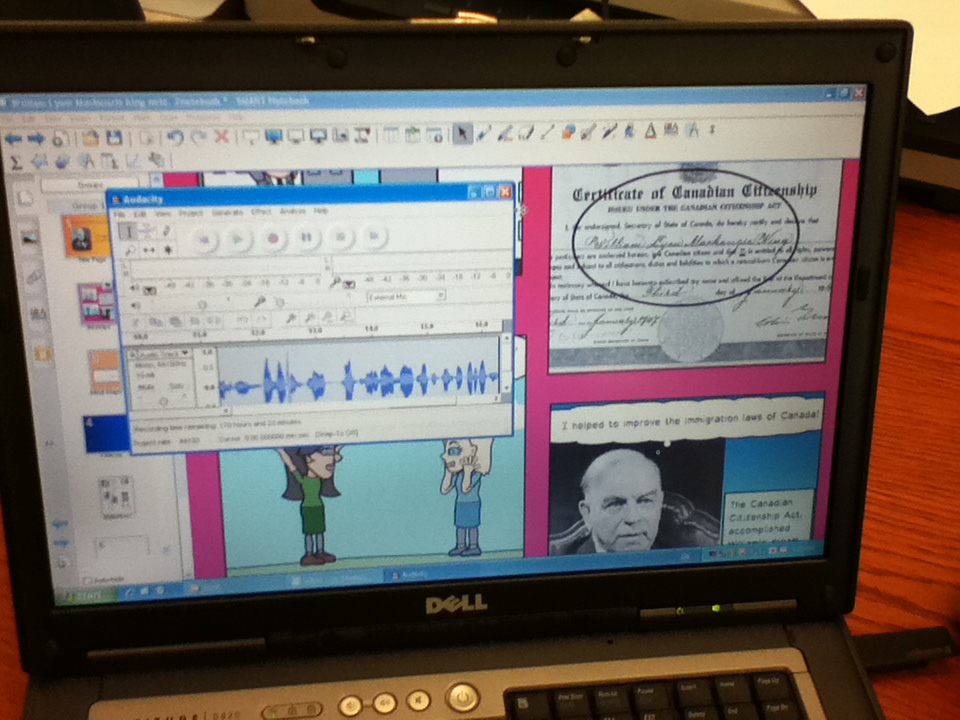
During Session Five, the students have continued with their culminating projects. As they have been challenged to include more than one type of media format, they are making decisions about how to effectively organize their presentation (e.g., insert Bitstrips image into a Notebook file, add mp3 voice recordings). Referring students to the student created rubric helped them to critically analyze and evaluate their own projects. This week, a number of students have combined different assistive technology programs such as Audacity, Read and Write Gold, iMovie and Notebook to communicate their ideas.

Itinerant Observation: It is exciting to see students combining some of their own technology skills (e.g., with website creation or Comic Life) with the assistive technology we have explored.

Photos:

Creating a bibliography
using the iPod

Using Audacity, Bitstrips
and Notebook
Creating a website: John Diefenbaker
using html.
Creating a website: Pierre Elliot Trudeau
using a website builder.

post list