Professional Learning Communities for Special Education teachers new to using their Promethean Interactive Whiteboards have been in full swing since October. In addition to attending Professional Development sessions, learning community members have recently begun taking advantage of job-embedded PD opportunities. Some teachers have co-planned lessons with Itinerant Resource Teachers (IRTs) and then have kindly invited fellow learning community members to observe the lesson as it is co-taught with the IRT. Jennifer Samson from Fenside PS recently co-planned a lesson on persuasive writing and shared the lesson with fellow learning community members. Jennifer’s HSP students were highly engaged and showed tremendous enthusiasm when using tools such as the Magic Ink and Sound Recorder. Observing teachers were also very excited to have many more ideas for ways to use these tools in their own classrooms. Following the lesson, the observation teachers engaged in a discussion on how the assistive technology had been authentically integrated into the lesson to support student learning. We look forward to facilitating more co-planning and co-teaching opportunities in the New Year!
Showing posts with label IWB. Show all posts
Wednesday, June 1, 2016
Sunday, May 29, 2016
Ways to access the Promethean Board - a refresher!
Please refer to the Blog Post on January 17th http://bit.ly/17fYFpV for more information on these seven ways to access the Promethean Board.
An eighth way to access the Promethean Board:
Some students may have difficulty accessing the Promethean Board in traditional ways due to a variety of challenges. An additional way that students can access the Promethean Board is to use a switch. Using a switch allows students to interact with the lesson or activity, increases independence and encourages participation in a group setting.
This is an example of a wireless switch called a Wireless Jelly Beamer switch and switch interface called a Crick Switch Interface.
Please watch our YouTube Video to learn more about how to use switches with your Promethean Board. http://bit.ly/GGObcz
OneNote Intermediate Project launch
![]() |
| One group of OneNote pilot teachers: Trevor Wong (Macklin P.S.), Wendy Klayman (Blantyre P.S.) and Miriam Taylor (Tecumseh P.S.). |
Friday, June 26, 2015
Year end reflection & See you in 2015-2016 school year from the SEA team!
As the school year winds down, the SEA Team would like to take this opportunity to thank all of the wonderful and amazing teachers who have worked with us this year and who have strived to better understand how they can use assistive technology to improve their students’ learning outcomes. We all know that using technology isn’t always easy! Nonetheless, the teachers we have worked with this year have persevered and succeeded in embedding the use of assistive technology into their daily practice. Whether it was using ActivInspire with a Promethean Interactive Whiteboard to differentiate instruction and increase student engagement, or learning how to use Microsoft OneNote to support students’ organization skills, or Geometer’s Sketchpad to help students find new ways to communicate their mathematics reasoning, teachers trusted us to help them and their students and were successful beyond our expectations. Below are a few samples of some of the feedback comments we received:
Interactive Whiteboard Learning Community
“The Professional Development Learning Community sessions were informative and provided me with lessons and ideas that I used with success in my classroom immediately following the PD sessions.”
“To my surprise, the Co-planning/Co-teaching time with the Itinerant Teacher was the most beneficial because I had the opportunity to see some of my teaching ideas come to life on the Promethean. Not only did I get to try out some of the newly taught functions on the Promethean Board, I also had a chance to build and trouble shoot ideas one to one with an experienced Promethean Board teacher and user. It was also great to see how individualized a lesson or activity could become just by knowing what functions to activate or deactivate when students were participating in a lesson.”
“Attempt to use the devices given and try to implement them as much as possible into your lessons. The students loved using the new interactive technologies.”
"After each session go back to your school and try it out immediately, this way you don't have the chance to forget what you learned -embrace this opportunity and be prepared to learn a lot.”
Q: During lessons, I made an effort to persevere with work I found challenging.
“I would take a picture of it, send it to my binder and have Read and Write Gold 11 [RWG11] read it to me.”
”I sometimes have a hard time remembering things, so I use the record sound tool, so I could go back and listen.”
Q: To what extent do you feel using assistive technology helped deepen your students' understanding of the math concept(s) that were taught?
“Kids are more willing to collaborate and help one another to understand concepts. It provides more opportunity to offer differentiated instruction. Can cover more concepts…less time on paper/pencil tasks. Can quickly evaluate if individual students have learned concepts for programming purposes.”
“My students really enjoyed our lesson using GSP [Geometer’s Sketchpad]. They were extremely motivated and engaged!!”
Q: Thinking back to your personal goals for wishing to be a part of this project, to what extent do you feel you were able to meet those goals?“I met all of my goals because my wish was to become more comfortable with other programs/technology available, and pass that comfort and understanding along to my students. That happened, especially with GSP [Geometer’s Sketchpad].”
We also received some excellent constructive feedback on how we may improve upon the Professional Development opportunities our team offers and are already working hard planning for next year with many of those suggestions and ideas in mind.
In conclusion, we want to wish all of you a safe, happy, restful summer. Please don’t forget to make a regular habit of checking DirectLine and Key-to-Learn each week for news regarding our Professional Development opportunities.
We look forward to working with our Special Education teacher colleagues again in 2015-16!
Labels:
IWB,
Learning Communities,
Math,
OneNote,
Organization
Tuesday, June 16, 2015
Preparing for the end of the day - SEA IWB in-class session David&Mary Thomson C.I. spotlight
Home Time at David and Mary Thomson C.I.
Raj Singh, Low Incidence Teacher at David and Mary Thomson Collegiate Institute, has been participating in Learning Communities through the SEA Interactive Whiteboard Group Claim. Along with attending sessions throughout the school year to learn various ways to use the Promethean Board to engage his students and promote independence and learning, he partnered with the Itinerant Resource Teacher leading the Learning Community to Co-Plan and Co-Teach a lesson.
During the Co-Planning session, a home time schedule was created. Visuals were used to support his students’ independence in preparing for the end of the school day and in writing a journal about what activities they participated in.
(left) Students select the activity they did from templates created on the Promethean Board. When the picture symbol is selected, the corresponding sentence appears. (left) If the students did an activity that is not represented on the Promethean Board, the student will write it in using the pen tool.
Students then write their journals for the day using the sentences as prompts. Some students will copy the sentences, while others are able to create their own.
David and Mary Thompson C.I. also offers real life employability skills training. They have converted one of their classrooms into an area where their students can practice skills that will support their future employment.
Labels:
co-plan,
co-teach,
IWB,
Learning Communities,
secondary
Friday, May 29, 2015
Using the ActivExpressions to extend thinking and make connections - spotlight Queen Victoria
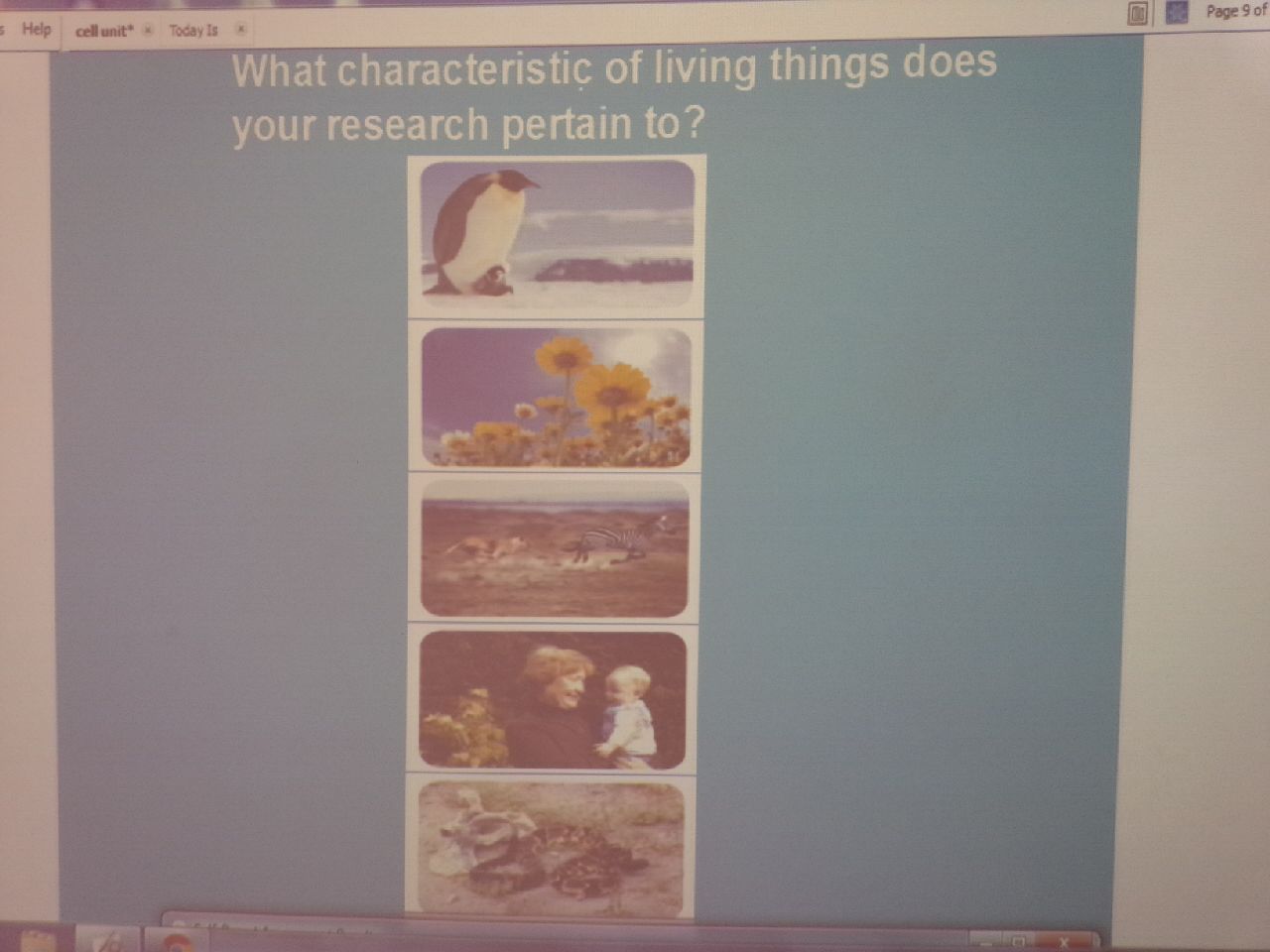
Students in Martha McGloin's grade 8 Gifted ISP at Queen Victoria Public School are currently doing an inquiry project in Science. Their focus in around the topic of Characteristics of Living Things and connecting in the Cell theory. Preliminary questions some have chosen for their investigations so far include, "What is the significance of single-celled organisms? How does DNA determine how cells develop and work? to "How can certain cells be used for the injury recovery or accelerated evolution of the human species?"
As part of her students' learning, Ms. McGloin wanted to make sure students were connecting fundamentals of the characteristics of living things and cell theory with their inquiries. McGloin co-planned a lesson with itinerant teacher Valia Reinsalu to incorporate the Activ Expressions in order to foster student discussion and connections.
Using the Express Poll, students were asked a variety of text questions which asked them to provide examples of various aspects of the characteristics of living things. Once students responded, Ms. McGloin was able to paste their written responses onto the flipchart page.
Students were also given a number of questions to reflect on using the self-paced assessment set-up. With the self-paced assessment the question appears on the ActivExpression device itself. Each individual goes through the set of questions at his/her own pace.
(left) Text answers can be "word-seeded" or pasted onto the flipchart page for sorting. The sorted ideas from: Give an example of "Living Things grow in size, reproduce and are able to repair themselves."
During the lesson, some students moved and sorted responses into specific categories by either walking up to the Interactive Whiteboard (IWB) and using their hand to move text around. Others students used the ActivSlate to move their responses from their seats.
![]() |
| Ms. McGloin leads the discussion. |
| Students connect the characteristic of living things to the example given by proposing the name of the big idea. |
Ms. McGloin's class were also asked questions to relate their inquiry project directly to the big ideas of characteristics of living things. Students felt engaged and a few said they preferred the method of text input over having to "write ideas down" on paper.
Response systems are an effective way to have each student provide a voice and input into learning - particularly in a class of 21 or more students. It's also a great way to have generated ideas and examples be collected, sorted and stored in a visual way. A flipchart is digital and can be printed out and/or saved and referred back to a number of times on the IWB.
Tuesday, May 26, 2015
Cause and Effect with a Spring theme - Using containers in ActivInspire for feedback at Park Lane P.S.
Cause and Effect at Park Lane
Tahmina Khan, special education teacher at Park Lane P.S., co-planned and taught a Cause and Effect lesson with Itinerant Resource Teacher, Renée Keberer, on the Promethean Interactive Whiteboard that her classroom received this year. A visual schedule was created whereby students would be able to drag picture symbols of activities that they completed throughout the day onto their calendar. Working on the theme of “Spring”, many activities were created, such as a Container Activity with immediate visual and auditory feedback and a variety of Cause and Effect activities.
Tuesday, May 19, 2015
Brown Bear comes to Thorncliffe Park P.S. - IWB co-teaching session DD ISP
Brown Bear Comes to Thorncliffe Park
The primary DD program at Thorncliffe Park P.S. received a Promethean Interactive Whiteboard (IWB) for their classroom through the Group SEA Claim process. Classrooms who received SEA IWBs were supported throughout the school year through Learning Communities and co-plan/co-teach job embedded learning opportunities. Donna MacKinnon, Primary DD Teacher of this program, co-planned and co-taught a lesson with Itinerant Resource Teacher, Renée Keberer, supporting this Learning Community.
Donna’s students have been actively using their IWB, so a lesson was designed about reading and interacting with the book “Brown Bear, Brown Bear” on the Promethean Board. Using the ActiView document camera, screenshots of the book were taken so that the book could be displayed on the IWB. As the story is interactive in nature (sliding tabs and finding objects), this was recreated using various IWB tools. The students would take turns coming up to the IWB to reveal the various animals hidden on the page as the story was read. After the book was finished, independent follow up activities were created for each student to meet their individual needs and ability levels. Some activities were one-to-one matching, selecting the correct item to match, and matching the correct colour to the item. The students were able to navigate to their specific work page by touching either their name or photograph, which would directly link to their activity. While the students completed their independent task at the IWB, the other students were at different centres around the classroom completing various tasks.
Teachers who observed the lesson were impressed with the engagement of the students and their proficiency with the Promethean Board.
Tuesday, May 12, 2015
Using Response Systems "clickers" to have students actively engage in Math lessons - Alvin Curling P.S. & Highcastle P.S.
The Interactive Whiteboard Learning Communities for the 2014-2015 school year have concluded.
At the LC final session teachers received Active Response Systems (Activ Expressions or Activ Votes) which are devices that allow students to share their voice and thinking using remote devices. Also referred to as clickers, the response systems provide support for students who may not want to raise their hand or speak in front of the class when sharing their understanding. The response systems also provide quick and useful feedback to both the student and teacher about student understanding as results are available immediately.
In recent in-class sessions Itinerant teacher Valia Reinsalu worked with two LC teachers in two very different ways in using the Active Response systems. At Alvin Curling P.S., Sahaira Khan used the expressions with her students using the Express Poll or adhoc questions. While in Gary Stewart's junior/intermediate Behaviour Intensive Support Program, his class used the responses to answer a self-paced assessment. (Click on the images to see a larger version of the photo.)
Alvin Curling Public School, Sahaira Khan, HSP Primary
Special Education teachers who received a SEA IWB attended four sessions at our training centres at Terraview Learning Centre (East) and Burnhamthorpe Adult Learning Centre (West) throughout the year. As part of the year-long support the six SEA itinerant teacher also provide job embedded professional learning sessions in the model of co-planning and co-teaching. The LC teachers look to try different ways to engage and teach their students by embedding assistive technology strategies and tools into their lessons.
At the LC final session teachers received Active Response Systems (Activ Expressions or Activ Votes) which are devices that allow students to share their voice and thinking using remote devices. Also referred to as clickers, the response systems provide support for students who may not want to raise their hand or speak in front of the class when sharing their understanding. The response systems also provide quick and useful feedback to both the student and teacher about student understanding as results are available immediately.
In recent in-class sessions Itinerant teacher Valia Reinsalu worked with two LC teachers in two very different ways in using the Active Response systems. At Alvin Curling P.S., Sahaira Khan used the expressions with her students using the Express Poll or adhoc questions. While in Gary Stewart's junior/intermediate Behaviour Intensive Support Program, his class used the responses to answer a self-paced assessment. (Click on the images to see a larger version of the photo.)
Alvin Curling Public School, Sahaira Khan, HSP Primary
Ms. Khan uses the Express Poll's wonder wheel to choose the type of question her Primary Home School Program students will answer. (left) Sahaira Khan has pasted the results of the answer onto the question page. One of her students answered different (see graph bottom right corner of photo). She is able to address and students discuss their responses immediately. (right)
![]() |
| Express poll text response: A student in Ms. Khan's class types out a text answer to a question. |
Highcastle Public School, Gary Stewart, J/I Behaviour
![]() |
| Self-paced assessment: The student in Mr. Stewart's class answers a question that appears on the ActivExpression device. She also has a copy of the assessment in paper to refer or do rough work on prior to sending her final response. |
(left) The document view of a self-paced assessment. A number of questions are "pre-programmed" onto a flipchart page. The questions will appear on the student's device one at a time. (right) The document view. A teacher can print out the questions so student have a hard copy of the questions along with the questions appearing on the device.
Special Education teachers who received a SEA IWB attended four sessions at our training centres at Terraview Learning Centre (East) and Burnhamthorpe Adult Learning Centre (West) throughout the year. As part of the year-long support the six SEA itinerant teacher also provide job embedded professional learning sessions in the model of co-planning and co-teaching. The LC teachers look to try different ways to engage and teach their students by embedding assistive technology strategies and tools into their lessons.
Labels:
ActivExpressions,
assessment,
co-plan,
co-teach,
HSP,
IWB,
Learning Communities,
response systems
Thursday, May 7, 2015
Using Geometer's Sketchpad & its dynamic manipulatives as assistive technology - Clinton P.S. spotlight
Terry Lwin, who teaches a Junior Gifted class at Clinton P.S. wanted to challenge her students using Geometer's Sketchpad. And as part of the "I have Assistive Technology in My Classroom, How do I use it for Math?" Ms Lwin and itinerant teacher Valia Reinsalu explored and adapted a GSP Math activity that would allow for individual student creativeness within strict and prescribed guidelines of how artists draw a face.
The result was a Math and Art lesson which allowed for students to learn new functions and tools of GSP as well as be able to demonstrate their understanding of percentage on both the Promethean Interactive Whiteboard and individual computer.
| Ms. Lwin, Junior Gifted ISP teacher, leads the class discussion to examine whether a students' drawing met the artist specifications listed. An example, "The distance from the hairline to the eyebrows is one-third the length of the face." |
For the action part of the lesson, students use the various GSP tools - line segment, marker tool, point and compass tools to create a face design. A set of instructions listing how each part of a face relates to the entire face is given to them. They use the "sticky percent ruler" tool to judge the accurateness of their digital drawings to check if they met the design specifications to create their faces. Ms Lwin's students learn and explore percentage in a linear form for the first time. They also compared different kinds of percentage rulers and judged which tool was the most appropriate to use.
To extend her students' understanding of mathematical concepts and a simple transformational feature of Geometer's Sketchpad, Ms Lwin challenged her class to create half a face based on the same set of design specifications eg. "The distance from the chin to the bottom of the nose is 25% of the length of the face." Students then learned how to create and assign a mirror line in GSP and then reflect the one half of their face creation in order to make a symmetrical whole drawing.
![]() |
| This student's sketch highlights the dynamic nature of Geometer's Sketchpad. Once a mirror line is selected and an image is reflected, a student can move one half as far away or close to the line of reflection and the program maintains the relationship. The dynamic nature of GSP allows for students to explore many different kinds mathematical concepts without having to construct and reconstruct examples in a time consuming manner. |
AT to support communication and comprehension in Math
Assistive technology team members Valia Reinsalu and Etienne Mercieca, who are itinerant teachers, present at the Ontario Association for Mathematics Educators (OAME) conference at Humber College on May 8 as part of the annual three-day Spring Conference. Ms Reinsalu and Mr Mercieca will share strategies and tools for differentiated using the interactive whiteboard and its peripherals. They will also present ways that the Ministry Licensed software Geometer's Sketchpad (GSP) used in the above lesson, can be used to support all kinds of learners as assistive technology.
Building Mathematical Mindsets is the theme of this year's OAME conference. Some information about the conference can be found at: http://oame2015.ca/.
Friday, May 1, 2015
Learning digital citizenship through email communication using the IWB at Don Mills CI - Low Incidence spotlight
Emailing at Don Mills CI
Sylvia Cascone, Low Incidence Teacher at Don Mills C.I. co-planned/taught with Itinerant Resource Teacher with Assistive Technology, Renée Keberer, as part of the SEA Group Interactive Whiteboard (IWB) Learning Community. As her students have been experimenting with emails, a lesson was created to show students how to use a proper email format when sending messages, along with looking at email tools and functions, email safety, and good choice and bad choices when emailing.
First, students were shown a variety of sample emails. After listening to them read aloud using the record sound option in ActivInspire, they indicated whether or not the email had the proper format and if it was appropriate. Corrections were made to the emails when inappropriate items were found, such as missing elements, or inappropriate language.
![]() |
| Sample e-mail with proper format and language. |
Next, students where shown how to navigate their email and what the various functions were, such as inbox, compose, etc., along with how to reply to incoming emails.
![]() |
| Some of the tools and functions discussed with students. |
The students then generated a list of safety rules around sending emails and opening emails.
![]() |
Afterwards, the students were presented with a series of email scenarios. Using the ActiVote Response Systems, they answered questions about good and bad email choices.
Scenario 1: Opening an email from an unknown person.
Students listened to the scenario, viewed the inbox and then voted on whether or not they should open this email. (right) Results of vote, followed by class discussion.
Scenario 3: An inappropriate email request.
Students listened to the scenario, viewed the email and then voted on which response would be best. (right) Results of vote, followed by class discussion.
Labels:
ActivInspire,
communication,
IWB,
Learning Communities
Subscribe to:
Posts (Atom)